
On a live system, that scan is the whole reorder. Here is what would have just happened:
- Tag read and matched to the item on your shelf
- Order placed with your supplier at the set order quantity
- Scan logged, so usage and order history stay up to date
This is a sample tag, so nothing has actually been ordered.
See how the system works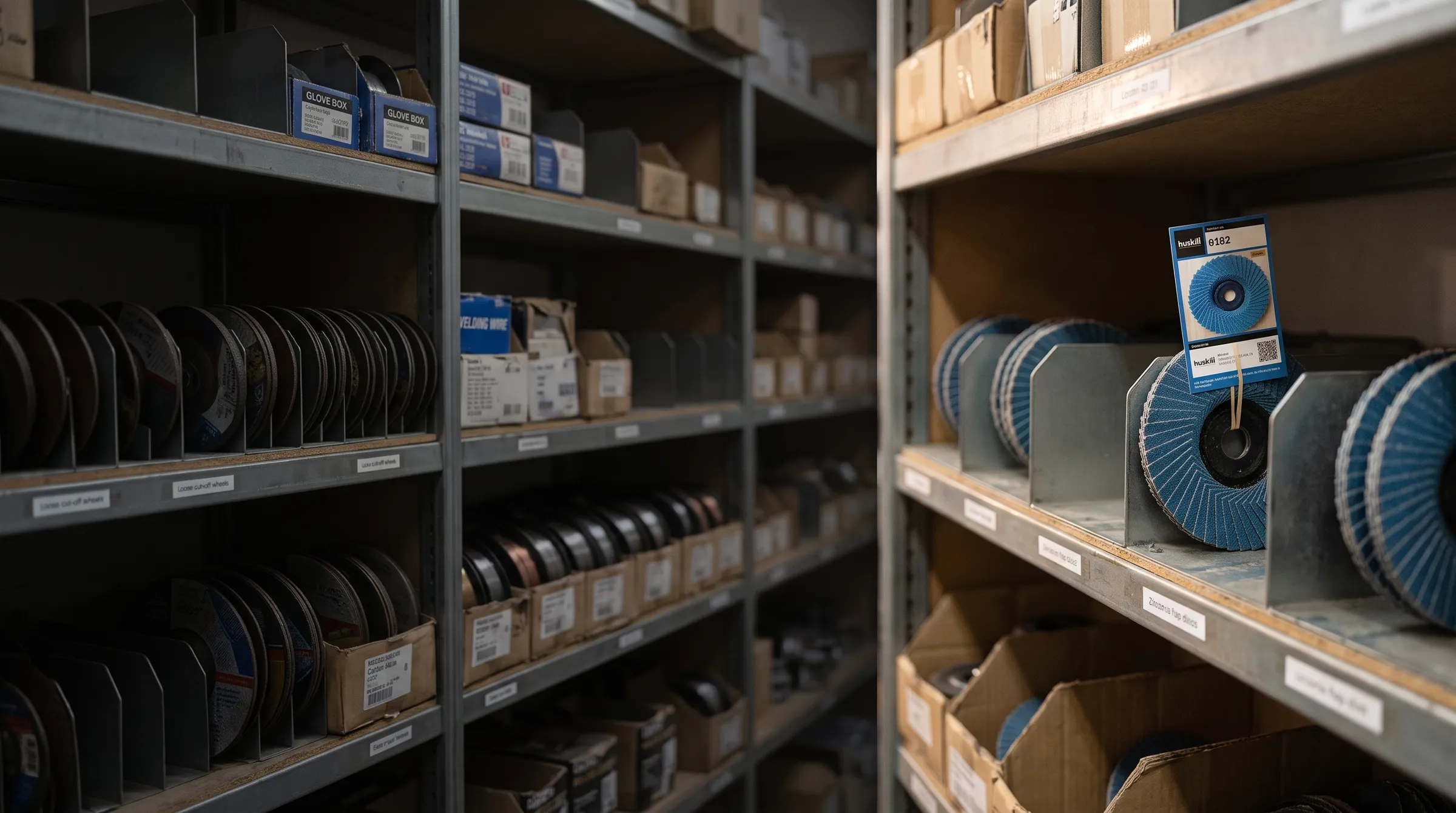
Kanban stock system
Stock that reorders itself
Every stocked item gets a printed tag, placed in with the stock at the reorder point. When the stock is used down to the tag, someone scans it and the order is placed. No stocktakes, no chasing, and no running out halfway through a job.
What kanban is
A card in the stock that tells you when to reorder
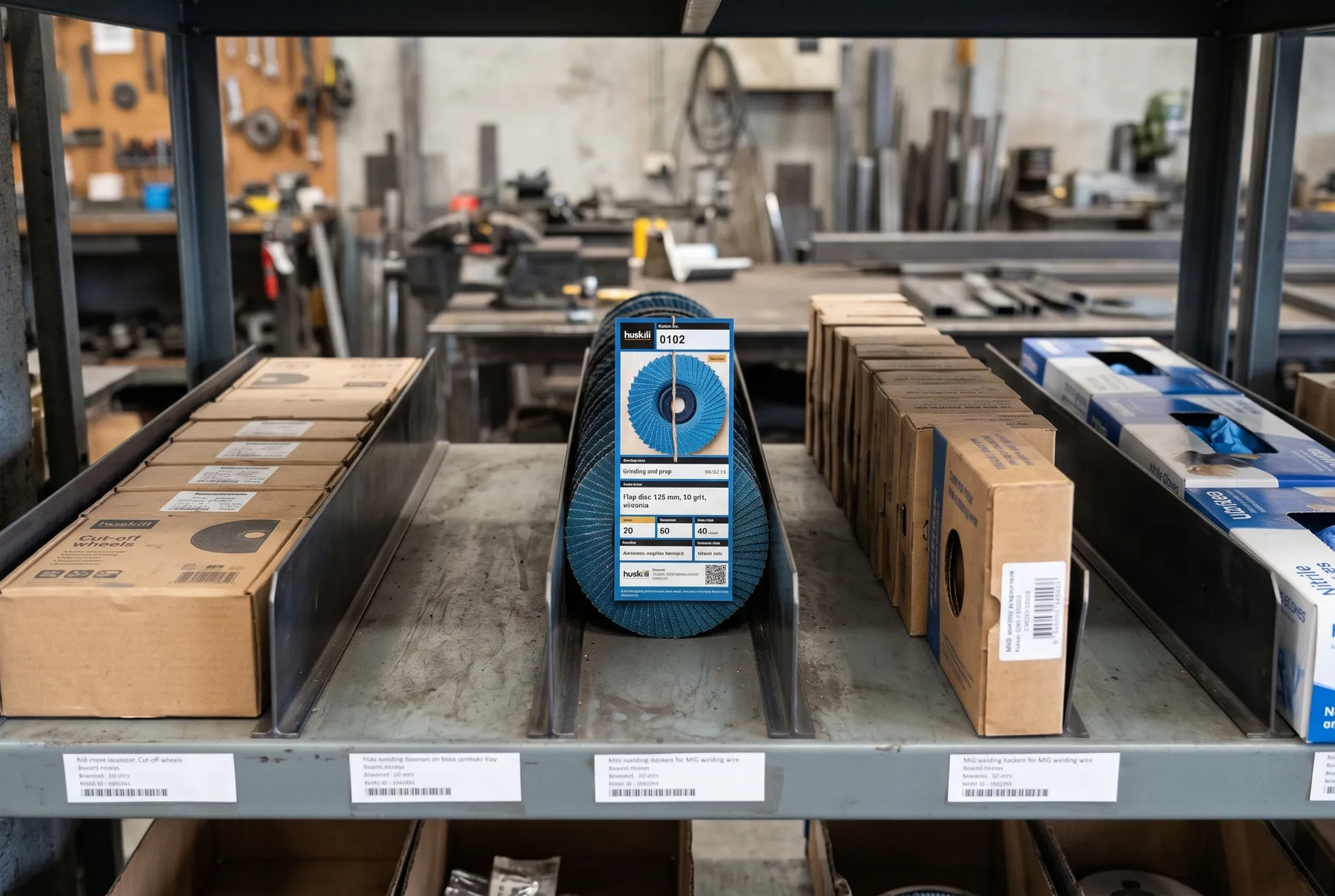
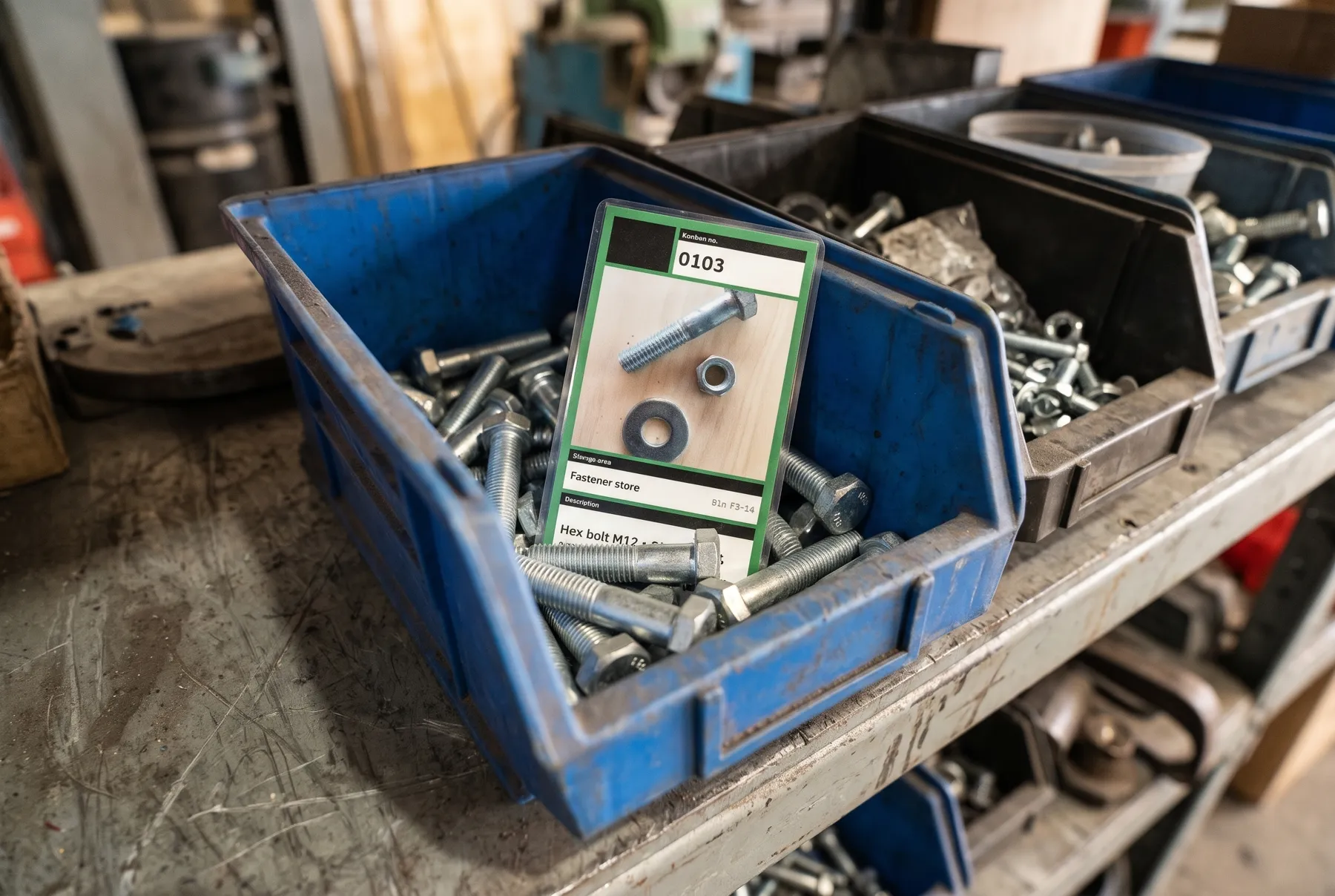
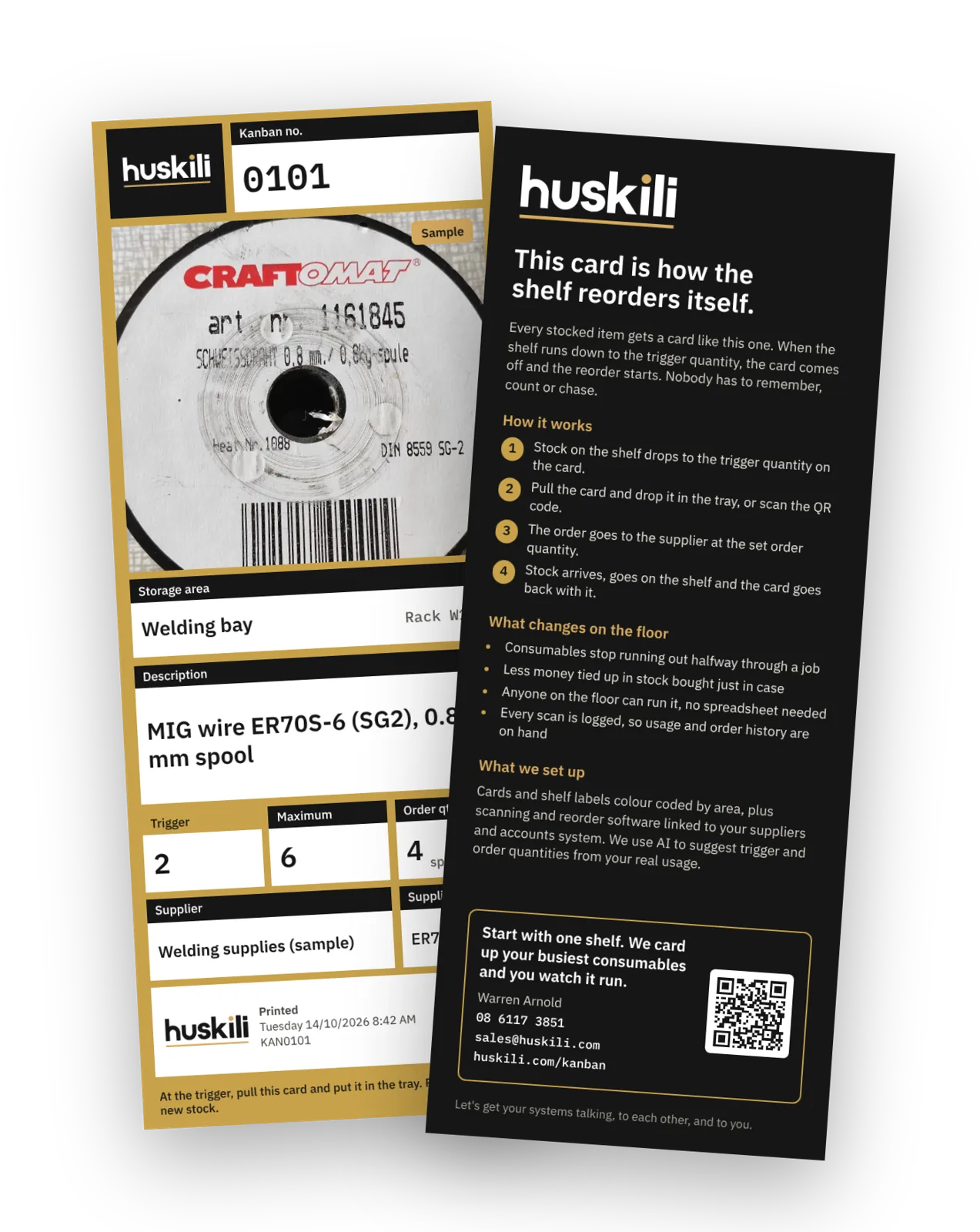
Kanban is a lean manufacturing method for keeping stock topped up without counting it. Each stocked item has a tag showing what it is, where it lives, the trigger quantity and how many to order. The tag goes on the stock itself at the reorder point: fixed to the fourth flap disc back in its lane, the third box back, or laid between the layers in a tub of screws. The shelf only carries a location label, never the tag.
When the stock is used down to the tag, it turns up in plain sight and gets scanned. The order goes to the supplier, the stock arrives, and the tag goes back in with the new stock at the same point. The shelf effectively reorders itself.
- Consumables stop running out between jobs
- Less money tied up in stock bought just in case
- Anyone on the floor can run it, with no spreadsheet or stocktake
- Every scan is logged, so usage and order history are always on hand
Watch the explainer
How a kanban tag runs your stock

How it works
Six steps, on repeat
The tag does the remembering. It travels from the stock, to the order, to a hook that shows when the stock is due, and back into the stock with the delivery.
- 1
Tag every item
Each item gets a printed tag with its trigger, maximum, order quantity and supplier. The tag goes on the stock itself at the reorder point, such as the fourth disc back in its lane or between the layers in a tub.
- 2
Stock hits the trigger
As the stock is used, the tag turns up at the reorder point. Whoever reaches it takes it out.
- 3
Scan to order
Scan the QR code with a phone or a scanner. The order is placed with the supplier at the set quantity, and the scan is logged.
- 4
Hang it on the board
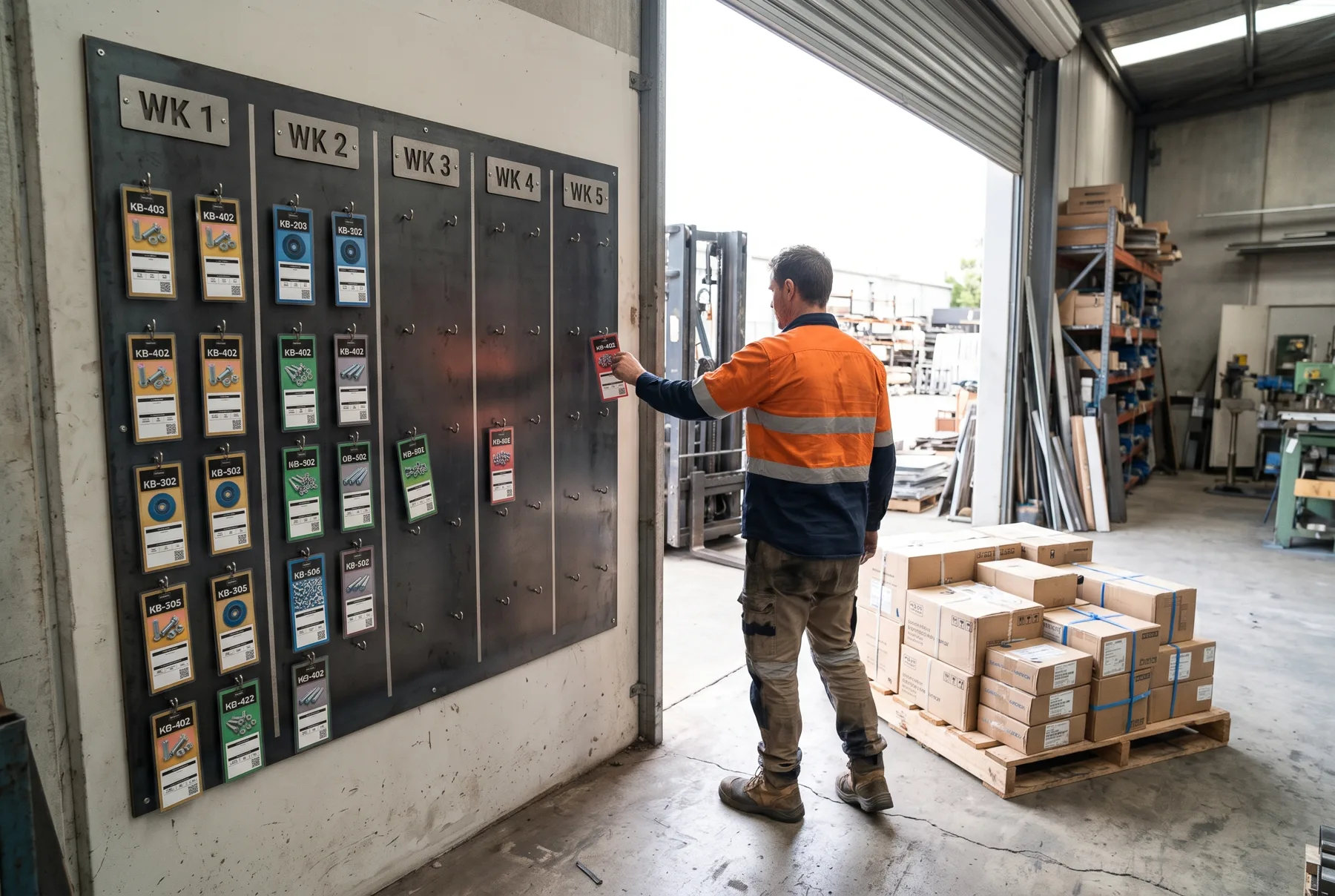
The tag goes on the kanban board near goods inwards, on the hook for the week the stock is due. Anyone can see what’s on order and when it lands.
- 5
Goods arrive
When the delivery comes in, the receiver takes that tag off its hook. If a hook is still full after its week, the order is late and easy to chase.
- 6
Put away with the stock
The tag goes back in with the new stock at the reorder point, ready for next time. Scan as many times as you like.
The kanban board
Incoming stock you can see at a glance
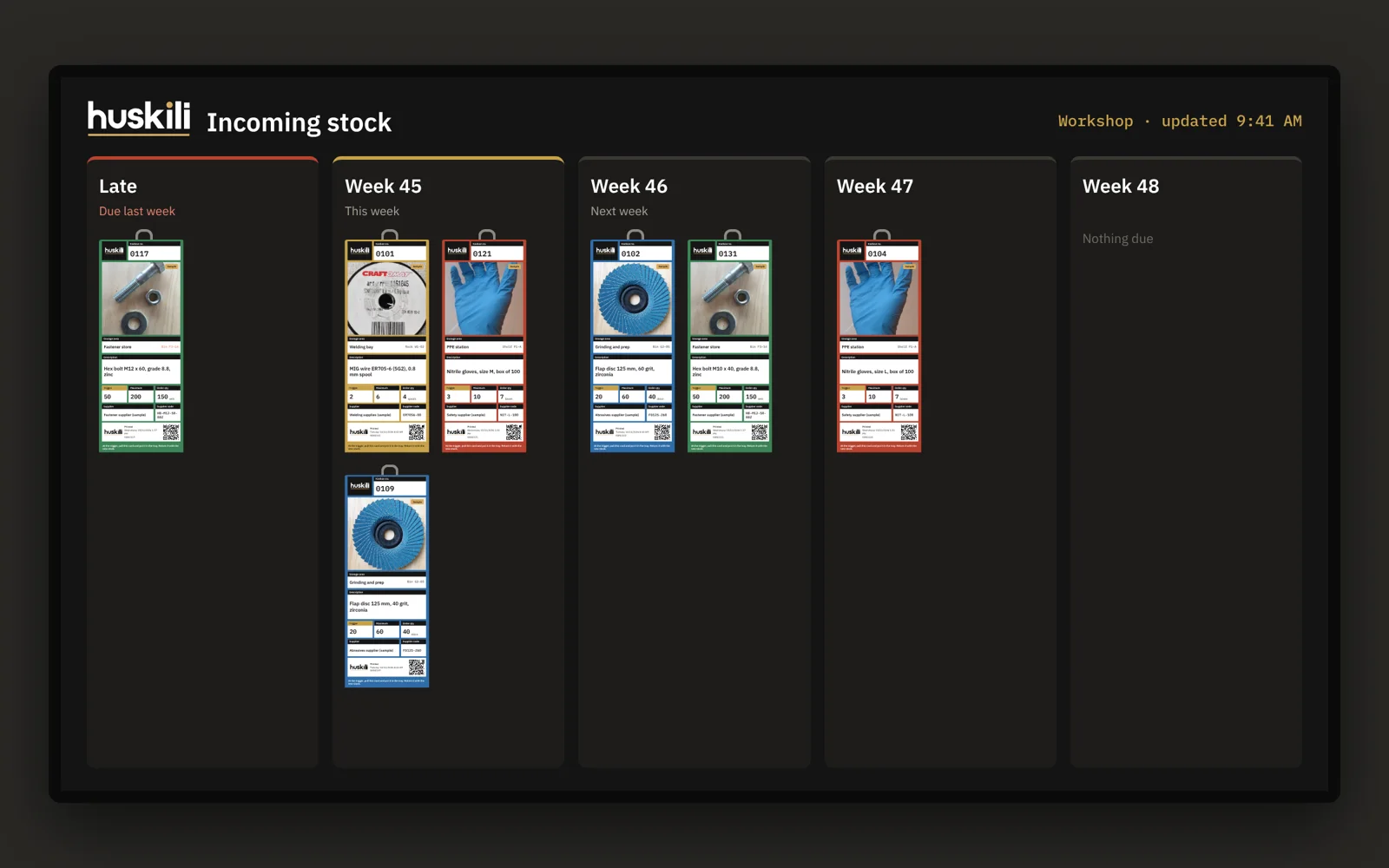
Ordered tags hang by the week the stock is due, right where the deliveries come in. The board is the to-do list for goods inwards and a quick check for everyone else.
- One column of hooks per week, so this week’s deliveries are obvious
- A tag still hanging after its week is a late order, ready to chase
- Receivers take the tag off the hook and put it back in with the new stock
Optional: digital kanban boards
The board on every screen in the building
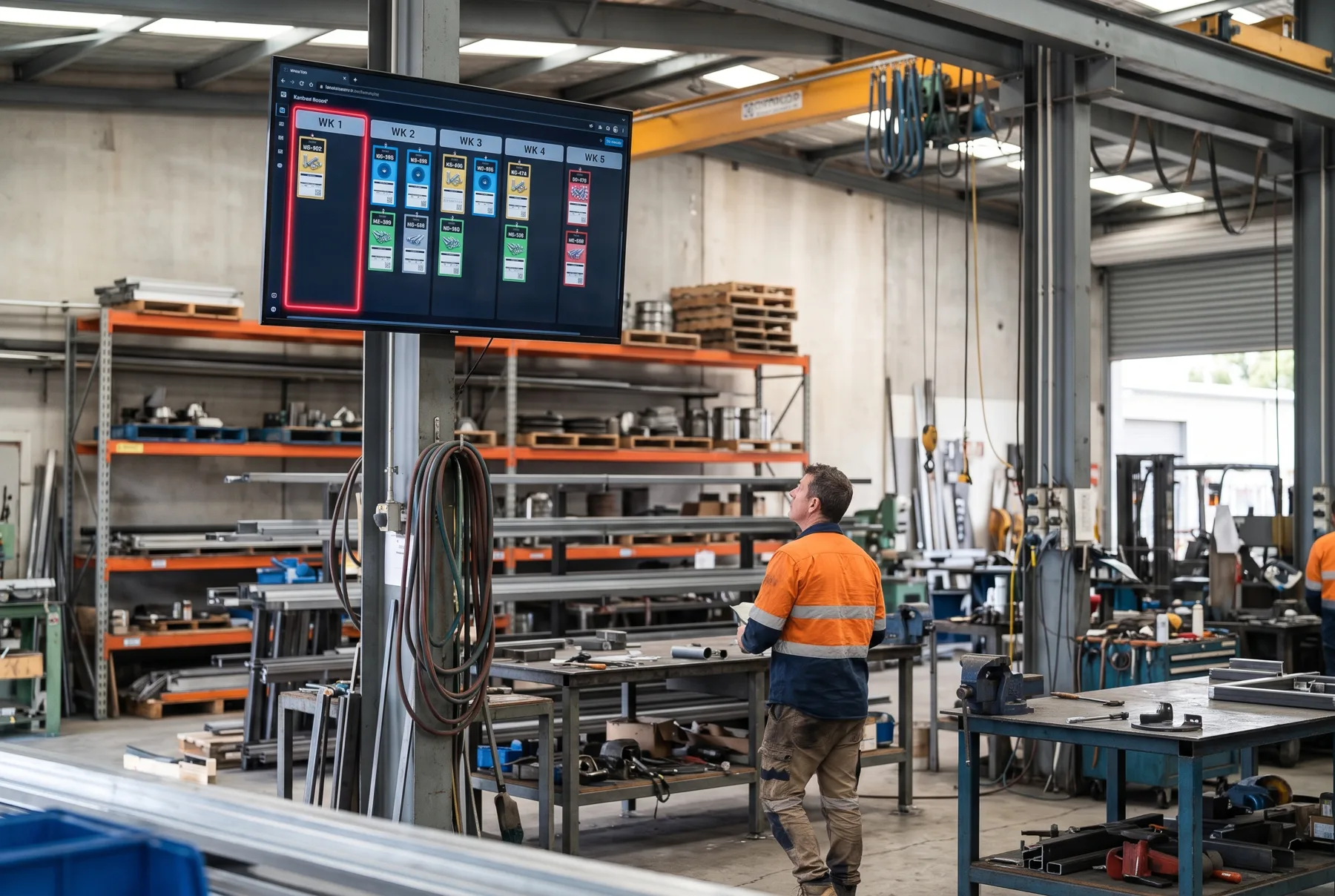
If you want it, every scanned tag can also appear on a digital kanban board, laid out by week as if it were hanging on a hook. Put it on TV screens around the factory, in stock rooms and at goods inwards, so nobody has to walk to the board to check on incoming stock.
- Updates the moment a tag is scanned
- Shows what’s due this week, next week and what’s running late
- Filter a screen to one area, such as the welding bay or the stock room
What we supply
The whole system, ready to use
We set it up, supply the hardware and keep the tags coming. You run it from the shop floor.
Printed tags
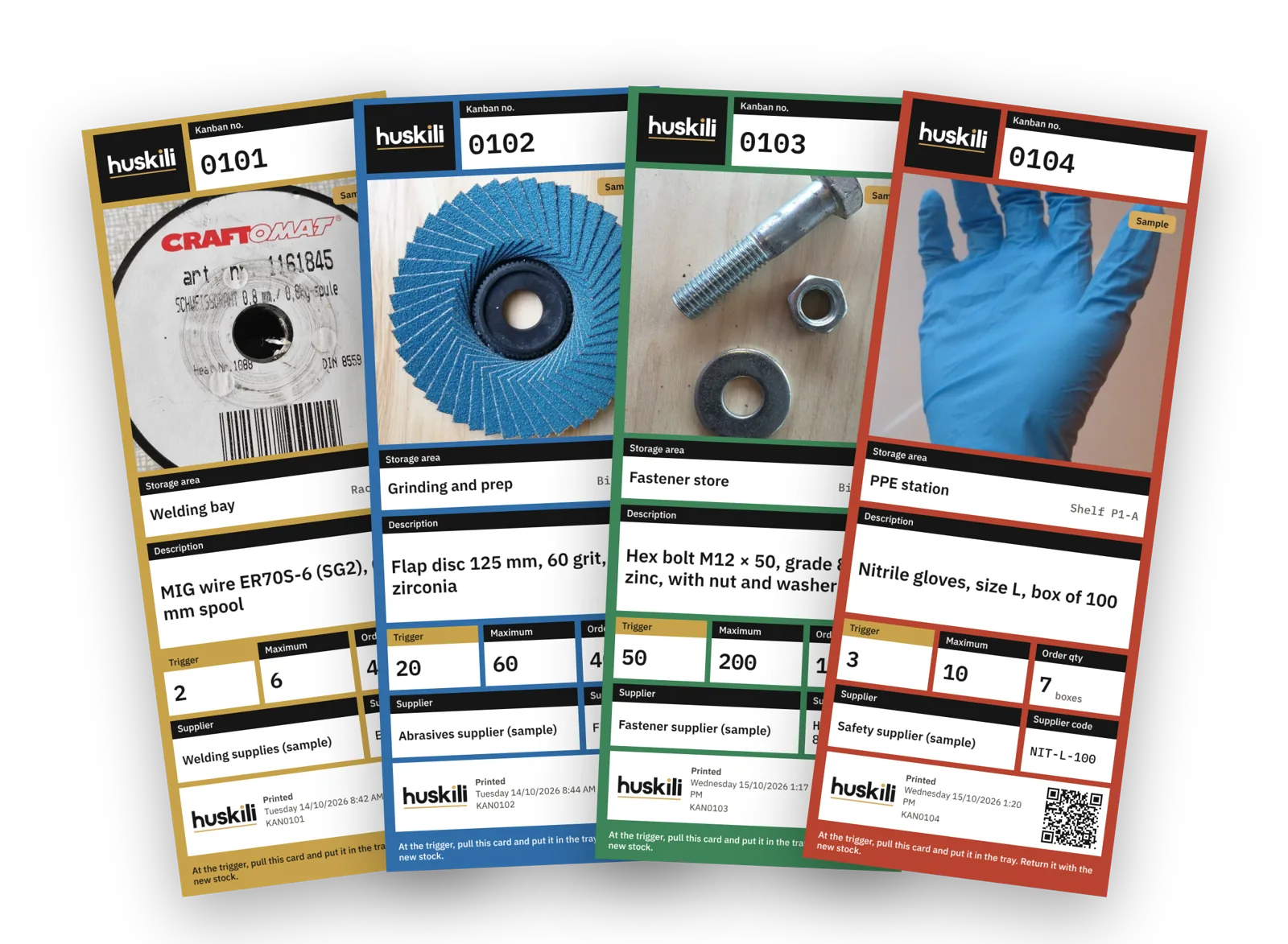
Tags arrive printed and ready to use, with the item photo, quantities, supplier and QR code. Colour coded by storage area.
The Huskili kanban app
Add an item, set the quantities, take a photo and place the tag order. The tag turns up printed. Scanning to reorder happens in the same app.
Scanners
Use a phone, or we supply shelf and handheld scanners for the areas where phones don’t suit.
Shelving and set-up
We lay out the shelves and bins, set the trigger and order quantities with you, and hang the first set of tags.
Linked to your systems
Orders can go straight to your suppliers and line up with your accounts system, so nothing gets typed twice.
AI-tuned quantities
We use AI to suggest trigger and order quantities from your real usage, so the shelf holds what you need and not much more.
Running it day to day
Tags, replacements and lost tags
- New items: add the item in the app, set the quantities, take a photo and order the tag. It arrives printed and ready to put in with the stock.
- Replacement tags: worn or damaged tags can be reordered from the app at any time.
- Unlimited scans: scan to order as many times as you like. There is no charge per scan.
- Lost tags: mark the tag inactive in the app. It stops counting towards your monthly cost and can’t place orders.
- Changes: adjust triggers, order quantities or suppliers in the app and reprint only the tags that changed.
Pricing
Simple to budget for and scales with the size of your store.
- A monthly cost per active tag
- Printed tags supplied at a price per tag
- Inactive tags aren’t charged
Initial set-up is quoted separately, along with any barcode scanners, TVs for digital boards, shelving and bins your site needs.
Pricing is available on request.
Let’s get you set upQuestions
Common questions
Can we start small?
Yes. Most sites start with one shelf or one area, such as welding consumables or PPE, then add more once the team is used to it.
Do staff need training?
Very little. If the stock is down to the number on the tag, scan the tag. That is the whole job on the floor.
Does it work with our suppliers and accounts system?
Connecting systems is what we do every day. We can send orders to your suppliers and line them up with your accounts system rather than leave you with another thing to retype.
What happens if a tag goes missing?
Mark it inactive in the app and order a replacement. An inactive tag can’t place orders and isn’t charged.

Get started
Start with one shelf
Tell us what keeps running out and we’ll tag up your busiest consumables so you can watch the system run.
Or call 08 6117 3851 or email sales@huskili.com